
Smart Bluetooth Speaker With Wireless Charger MD-S300
Home Tech
All product details are clearly stated.
Product Overview
Product Description
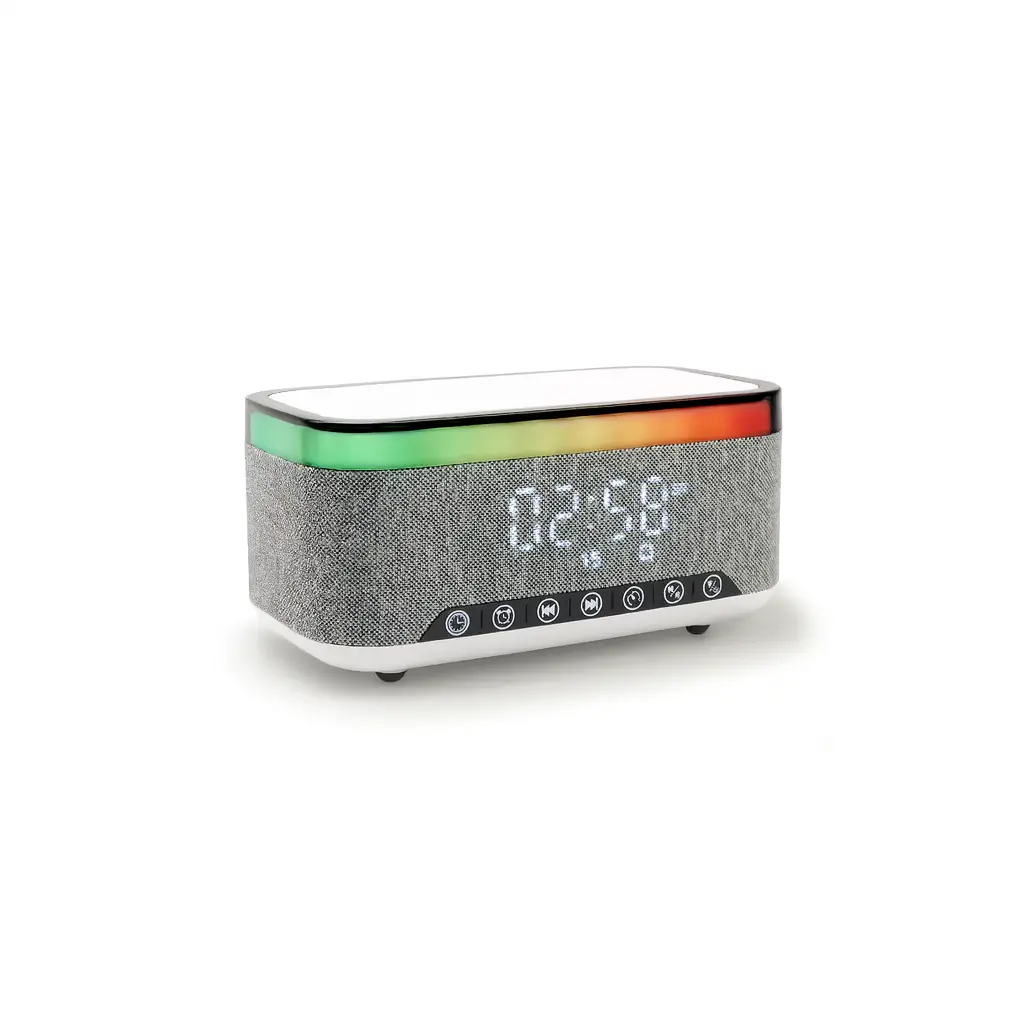
Smart Bluetooth Speaker With Wireless Charger is a multifunctional charging station designed to power multiple devices at once. It supports fast and wireless charging for smartphones, smartwatches, and earbuds. With its sleek design and safety features like overcharge and temperature protection, it keeps your devices powered efficiently and securely.
Technical Specs
Technical specifications
Exceptional Sound Quality: Enjoy an immersive audio experience with two 5W speakers and a wide frequency range of 20Hz–20kHz.
Advanced Bluetooth Technology: Bluetooth 5.3 ensures a stable connection up to 10 meters, compatible with all smart devices.
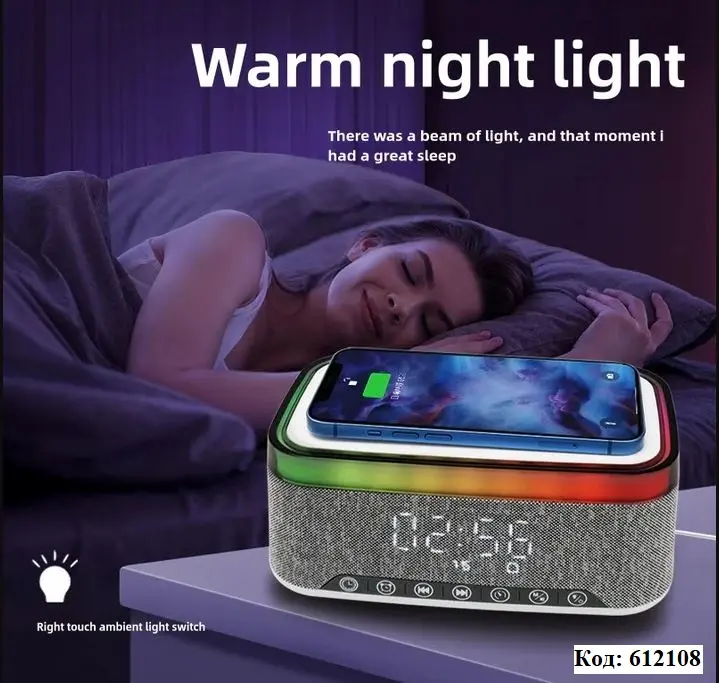
15W Fast Wireless Charging: Easily charge your phone while enjoying music without the need for extra cables.
Ambient RGB LED Lighting: Customizable colored lights add a stylish touch to your room or parties.
Built-in Alarm Clock: Wake up to your favorite tunes with a stylish LED display.
Long-Lasting Battery: An 1800mAh battery provides ample power. Continuous playback time of 4 to 8 hours depending on usage.
Portable and Stylish Design: Made of ABS and mesh fabric, lightweight and easy to carry, perfect for home theater, parties, camping, and the office.
How To Use
How to use
Charge or connect the speaker Connect the speaker using the Type-C cable. For wireless charging, use a strong adapter, preferably 9V/2A for best performance. Turn it on Press and hold the Power button for about 2 seconds until the speaker turns on. Connect Bluetooth Open Bluetooth on your phone, search for the speaker name, then connect. It uses Bluetooth 5.3 and works up to around 10 meters. Play music Open YouTube, Spotify, music player, or any audio app. Use the buttons to: Play / pause Next song Previous song Volume up / down Use wireless charging Place your Qi-compatible phone on the wireless charging area. Make sure the phone is centered. It supports up to 15W wireless charging. Use the LED light Short-press the light button to change the lighting effect. The manual mentions 13 lighting effects. Use the clock/alarm Use the clock button to set the time. Use the alarm button to set the alarm time and choose the alarm sound. The manual mentions 7 alarm tones. Use white noise mode Switch to white noise/sleep music mode and choose the relaxing sound you want. Use TF card / USB music Insert a TF card or USB flash drive with audio files, and the speaker will read and play the music automatically
Customer Reviews
Share your experience with this product
Your Dynamic Snippet will be displayed here...
This message is displayed because youy did not provide both a filter and a template to use.