?unique=ddce6c5)

?unique=ddce6c5)
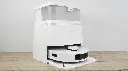
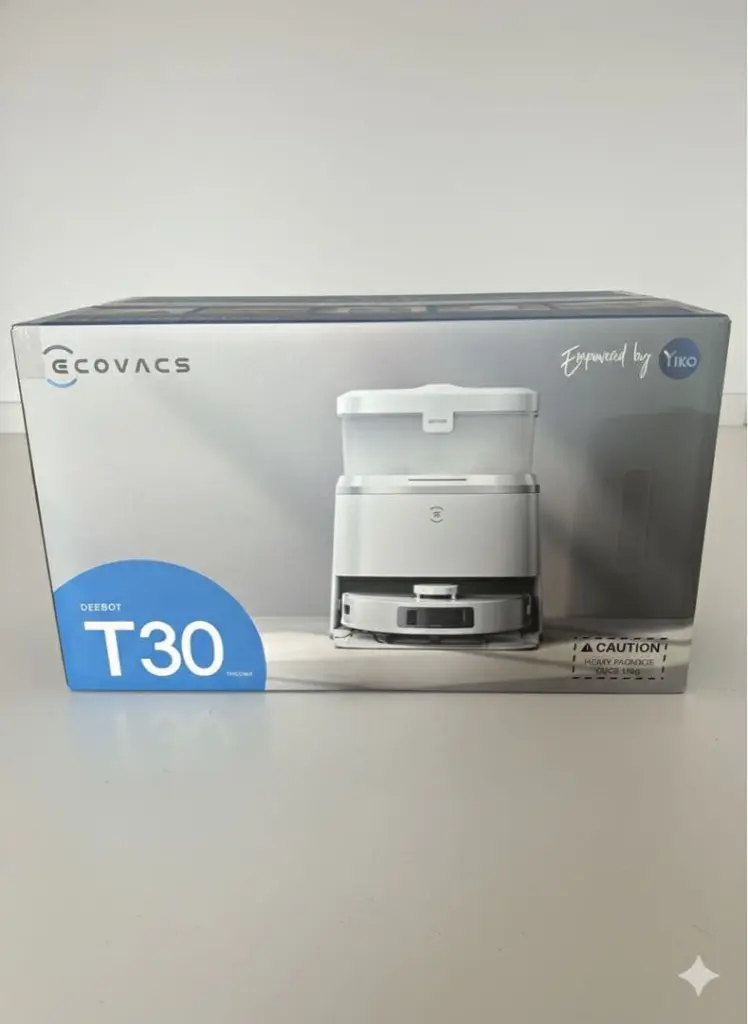
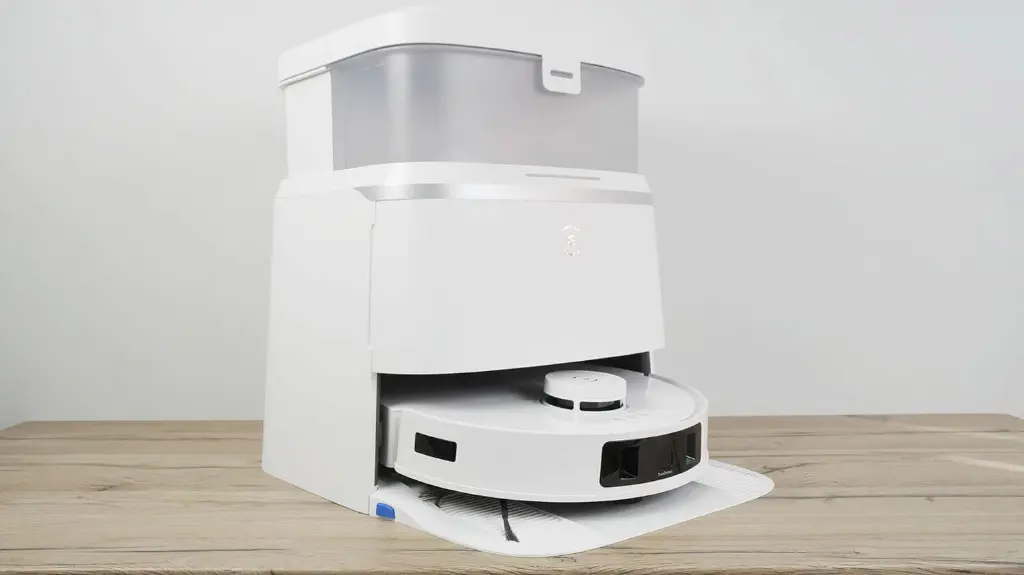
Ecovacs Deebot T30 Omni Vacuum
Elevate your cleaning experience with the ECOVACS DEEBOT T30 OMNI robot vacuum and mop, where superior performance meets smart technology in a sleek, compact design. With powerful suction, anti-tangling technology, and automatic cleaning, you'll have a sparkling home effortlessly.
Technical Specification:
Suction power: 11,000 Pa.
Anti-tangling technology: ZeroTangle™.
Sweeping system: OZMO TURBO 2.0 with automatic refilling.
Electronic water tank: 55 ml (continuous refilling).
Movement technology: TrueMapping 2.0 + TrueDetect 3D 3.0.
Mop lift: 9 mm when carpets are detected.
Station design: 30% smaller and quieter.
Voice control: YIKO AI Voice Assistant.
How to use:
1. Initial Preparation and Setup (Before Operation)
Removing Protection: Take the robot and station out of the box, and make sure to remove all adhesive strips and protective materials (especially the rubber pieces near the robot's front bumper).
Installing the Base: Place the Omni Station in an open area and attach the base (the one the robot stands on) by gently pressing it down until you hear a click.
Installing the Side Brush: Turn the robot over and attach the side brush (included in the box) to its designated slot under the robot until it is secure.
Preparing the Water Tank: Open the top cover of the station, remove the "clean water" tank (usually blue or clear), fill it with clean water only, and replace it. (Do not use non-medical cleaning powders, as they may damage the pipes.)
2. Connecting to the App (Ecovacs Home)
This step is essential for full control:
Downloading the App: Download the Ecovacs Home app on your phone and create an account.
Adding the Robot: Tap the (+) icon in the app and scan the QR code located under the robot's top cover.
Wi-Fi Connection: Follow the instructions to connect the robot to your home Wi-Fi network (supports 2.4GHz frequency).
3. First-Time Operation (Mapping)
Quick Mapping: Upon first operation, the robot will ask you to perform a "quick mapping." At this stage, the robot will walk around the house without cleaning, simply to familiarize itself with the rooms and create an accurate map.
Important Tip: Before this step, open the doors of all the rooms you want to clean and remove any obstacles from the floor (cables, toys, clothes) to ensure map accuracy.
4. Cleaning Modes and Daily Use
After saving the map, you can control the robot as follows:
Sweeping and Mopping: The robot vacuums and mops simultaneously. When it detects carpets, the robot automatically raises the mop pads and increases suction power to clean the carpets without wetting them.
Cleaning Modes (via the app):
Vacuum Only: Vacuuming only (no mopping).
Mop Only: Mopping only.
Vacuum & Mop: The default mode for both vacuuming and mopping.
Custom Cleaning: You can select a specific room to clean or draw a designated zone on the map for the robot to focus on.
5. Regular Maintenance (to Keep Your Device Running): The Omni Station does most of the work, but you should still follow these steps:
Water Tanks: Regularly empty the dirty water tank (dark water tank) to prevent unpleasant odors and refill the clean water tank.
Dust Bag: The station automatically emptys the robot's dust into an internal bag. Replace this bag when the app alerts you that it's full (every one to two months, depending on usage).
Cleaning the Robot: Occasionally, check the main brush on the bottom of the robot and remove any trapped hair (even though it's designed to minimize tangling). Wipe the sensors with a dry cloth to ensure they don't get damaged.
Technical Specification:
Suction power: 11,000 Pa.
Anti-tangling technology: ZeroTangle™.
Sweeping system: OZMO TURBO 2.0 with automatic refilling.
Electronic water tank: 55 ml (continuous refilling).
Movement technology: TrueMapping 2.0 + TrueDetect 3D 3.0.
Mop lift: 9 mm when carpets are detected.
Station design: 30% smaller and quieter.
Voice control: YIKO AI Voice Assistant.
How to use:
1. Initial Preparation and Setup (Before Operation)
Removing Protection: Take the robot and station out of the box, and make sure to remove all adhesive strips and protective materials (especially the rubber pieces near the robot's front bumper).
Installing the Base: Place the Omni Station in an open area and attach the base (the one the robot stands on) by gently pressing it down until you hear a click.
Installing the Side Brush: Turn the robot over and attach the side brush (included in the box) to its designated slot under the robot until it is secure.
Preparing the Water Tank: Open the top cover of the station, remove the "clean water" tank (usually blue or clear), fill it with clean water only, and replace it. (Do not use non-medical cleaning powders, as they may damage the pipes.)
2. Connecting to the App (Ecovacs Home)
This step is essential for full control:
Downloading the App: Download the Ecovacs Home app on your phone and create an account.
Adding the Robot: Tap the (+) icon in the app and scan the QR code located under the robot's top cover.
Wi-Fi Connection: Follow the instructions to connect the robot to your home Wi-Fi network (supports 2.4GHz frequency).
3. First-Time Operation (Mapping)
Quick Mapping: Upon first operation, the robot will ask you to perform a "quick mapping." At this stage, the robot will walk around the house without cleaning, simply to familiarize itself with the rooms and create an accurate map.
Important Tip: Before this step, open the doors of all the rooms you want to clean and remove any obstacles from the floor (cables, toys, clothes) to ensure map accuracy.
4. Cleaning Modes and Daily Use
After saving the map, you can control the robot as follows:
Sweeping and Mopping: The robot vacuums and mops simultaneously. When it detects carpets, the robot automatically raises the mop pads and increases suction power to clean the carpets without wetting them.
Cleaning Modes (via the app):
Vacuum Only: Vacuuming only (no mopping).
Mop Only: Mopping only.
Vacuum & Mop: The default mode for both vacuuming and mopping.
Custom Cleaning: You can select a specific room to clean or draw a designated zone on the map for the robot to focus on.
5. Regular Maintenance (to Keep Your Device Running): The Omni Station does most of the work, but you should still follow these steps:
Water Tanks: Regularly empty the dirty water tank (dark water tank) to prevent unpleasant odors and refill the clean water tank.
Dust Bag: The station automatically emptys the robot's dust into an internal bag. Replace this bag when the app alerts you that it's full (every one to two months, depending on usage).
Cleaning the Robot: Occasionally, check the main brush on the bottom of the robot and remove any trapped hair (even though it's designed to minimize tangling). Wipe the sensors with a dry cloth to ensure they don't get damaged.
| Brand: Ecovacs |
| BENEFIT: Products that guarantee saving you time and your daily comfort |
Your Dynamic Snippet will be displayed here...
This message is displayed because youy did not provide both a filter and a template to use.