.webp?unique=9a87789)
.webp?unique=9a87789)
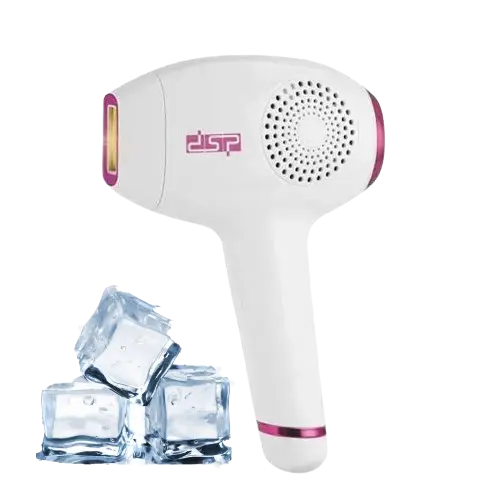
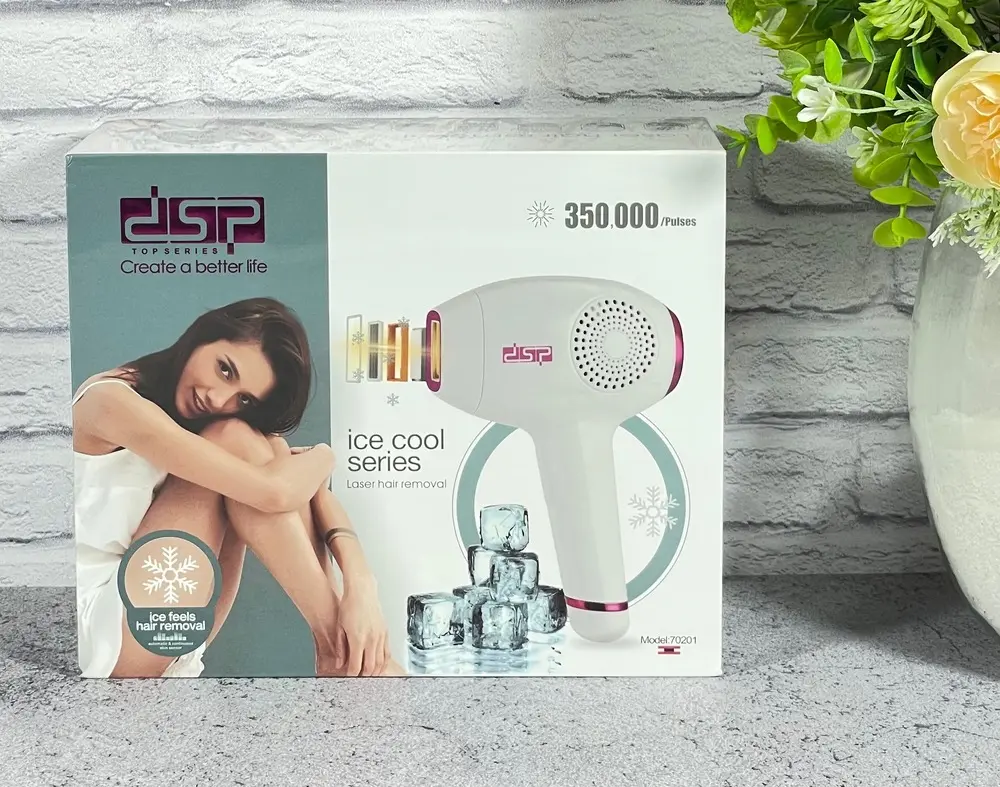
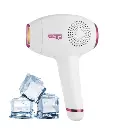
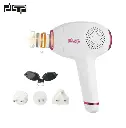
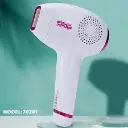
dsp laser ice cool 70201
The DSP Laser 70201 continues to offer easy and safe at-home hair removal.
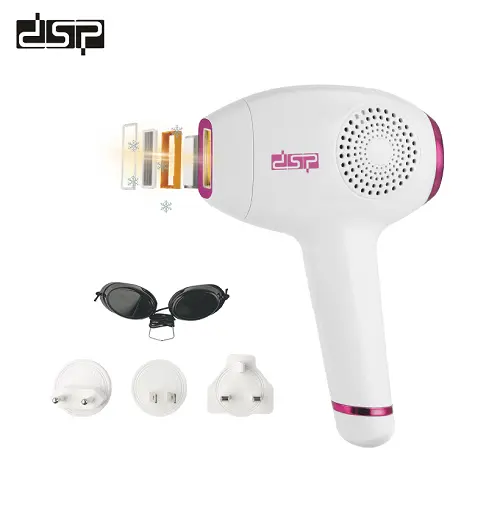
It features an Ice Cool camera that cools the skin during the main heat and facial application, and an IPL light lens that suddenly weakens the main hair follicles, leaving them smooth and supple.
Technical specification:
model number: 70201
Power: 40W
Technology: IPL (Intense Pulsed Light)
Cooling System: Ice Cool for skin cooling during the session
Number of Flashes: Up to 350,000 flashes
Session Duration: 10–15 minutes for the full body
Operating Mode: Automatic/Manual
Suitable for: Face, legs, arms, and underarms
Voltage: 100–240V
Display: LED for displaying count and settings
How to use:
1. Preparation Before the Session (A Very Important Step)
Shaving: The area to be treated must be shaved with a razor the day before the session or on the same day. (Waxing, sugaring, or tweezing are strictly prohibited, as the laser requires the hair follicle and root to be present under the skin to target them.)
Hygiene: The skin must be completely clean and dry, and free of any creams, lotions, or deodorants.
2. Operation and Settings
Plug and Operate: Connect the device to a power source (these devices are corded to ensure consistent and powerful flashes). Press the power button.
Wearing the Protective Glasses: The protective glasses provided with the device must be worn to protect the eyes from the bright laser flashes.
Setting the Level: The device has several energy levels. It is always recommended to start with level 1 for the first few sessions to test skin sensitivity, then gradually increase the level in subsequent sessions.
Activating the Cooling: Ensure the cooling feature is activated (it usually has a separate button with a snowflake icon, or it activates automatically when switched on) to cool the device head in contact with the skin.
3. How to Use the Device
Positioning: Position the device lens vertically (at a 90-degree angle) and in complete contact with the skin. (As a safety precaution, the device will only emit a flash if it is in full contact with the skin.)
Manual Flash Mode (for small areas): Press the flash button once, then lift the device and place it on the adjacent area. (Avoid striking the same spot twice consecutively to prevent skin irritation.)
Automatic Gliding Mode (for larger areas): For arms or legs, you can press and hold the flash button and glide the device slowly over the skin. It will automatically emit flashes sequentially.
4. Post-Treatment Care
Moisturizing: Apply a soothing, non-steroidal moisturizing cream or aloe vera gel to the area.
Protection: Avoid direct exposure to strong sunlight for 24 hours, and use sunscreen when going outside.
Hot water: Avoid taking very hot showers or going to the sauna on the same day as your session.
It features an Ice Cool camera that cools the skin during the main heat and facial application, and an IPL light lens that suddenly weakens the main hair follicles, leaving them smooth and supple.
Technical specification:
model number: 70201
Power: 40W
Technology: IPL (Intense Pulsed Light)
Cooling System: Ice Cool for skin cooling during the session
Number of Flashes: Up to 350,000 flashes
Session Duration: 10–15 minutes for the full body
Operating Mode: Automatic/Manual
Suitable for: Face, legs, arms, and underarms
Voltage: 100–240V
Display: LED for displaying count and settings
How to use:
1. Preparation Before the Session (A Very Important Step)
Shaving: The area to be treated must be shaved with a razor the day before the session or on the same day. (Waxing, sugaring, or tweezing are strictly prohibited, as the laser requires the hair follicle and root to be present under the skin to target them.)
Hygiene: The skin must be completely clean and dry, and free of any creams, lotions, or deodorants.
2. Operation and Settings
Plug and Operate: Connect the device to a power source (these devices are corded to ensure consistent and powerful flashes). Press the power button.
Wearing the Protective Glasses: The protective glasses provided with the device must be worn to protect the eyes from the bright laser flashes.
Setting the Level: The device has several energy levels. It is always recommended to start with level 1 for the first few sessions to test skin sensitivity, then gradually increase the level in subsequent sessions.
Activating the Cooling: Ensure the cooling feature is activated (it usually has a separate button with a snowflake icon, or it activates automatically when switched on) to cool the device head in contact with the skin.
3. How to Use the Device
Positioning: Position the device lens vertically (at a 90-degree angle) and in complete contact with the skin. (As a safety precaution, the device will only emit a flash if it is in full contact with the skin.)
Manual Flash Mode (for small areas): Press the flash button once, then lift the device and place it on the adjacent area. (Avoid striking the same spot twice consecutively to prevent skin irritation.)
Automatic Gliding Mode (for larger areas): For arms or legs, you can press and hold the flash button and glide the device slowly over the skin. It will automatically emit flashes sequentially.
4. Post-Treatment Care
Moisturizing: Apply a soothing, non-steroidal moisturizing cream or aloe vera gel to the area.
Protection: Avoid direct exposure to strong sunlight for 24 hours, and use sunscreen when going outside.
Hot water: Avoid taking very hot showers or going to the sauna on the same day as your session.
| Brand: Dsp |
| BENEFIT: Products that care for you and your family |
Your Dynamic Snippet will be displayed here...
This message is displayed because youy did not provide both a filter and a template to use.